What your store enforces
A checkbox is not a record. This is why.
Your terms say research use only, minimum age twenty-one. A customer disputes, or a regulator asks, and the question is not whether you showed them the terms. It is whether you can show that they accepted.
If your checkout has a tick-box for the terms, this is what it is worth in a dispute. It is required, it is ticked, and it is worth close to nothing. The reason is one you can show in a browser’s developer tools: a required attribute is client-side, and anything client-side can be removed before the form is submitted.
That is not a theoretical objection. It is the objection an underwriter raises, and a merchant who answers “we display a checkbox” has confirmed the problem rather than solved it.
The gate runs where the order is created
The plugin validates inside WooCommerce, in the hook that runs before the order object is created. In blocking mode, consent missing means the checkout is refused and no order row is ever written. Not flagged, not quarantined: never created.
Log only is the step before that: it records the agreement without refusing the order, so you can confirm nothing breaks before switching enforcement on. It is a ramp and not a setting to leave running. While a store is in it, the dashboard says so, and the catalog and certificates document withholds the claim below rather than printing it.
That changes what you can claim from we displayed a checkbox, which is fakeable, to No order placed through this store's checkout is created without a consent record. — a property of the system rather than of a rendered form field. An underwriter can test that sentence, and it survives.
The claim holds for a store whose checkout form renders the gate's field. A theme or page builder that replaces the classic checkout template can omit it, and this store is told when that happens rather than the orders being recorded as though the customer declined. On a Blocks checkout WooCommerce renders the field itself, so a theme cannot omit it.
Its scope is the checkout form, and it is stated rather than left to be assumed. Orders created by other routes do not pass through the checkout: an order keyed in by staff, a subscription renewal, a payment link, an order paid with Apple Pay, Google Pay or another express checkout, an upsell that creates a second order after the first, or an order created through the store's API or command line. The gate runs when the form is submitted, so an order that never reaches it is outside what the gate can promise. A claim that quietly covered those orders would be the kind an underwriter disproves with one phone order.
The evidence is an absence, which is awkward to photograph and worth being honest about: the refused checkout leaves nothing behind. What you can see is the store reporting what mode its gate is in, and for how long.
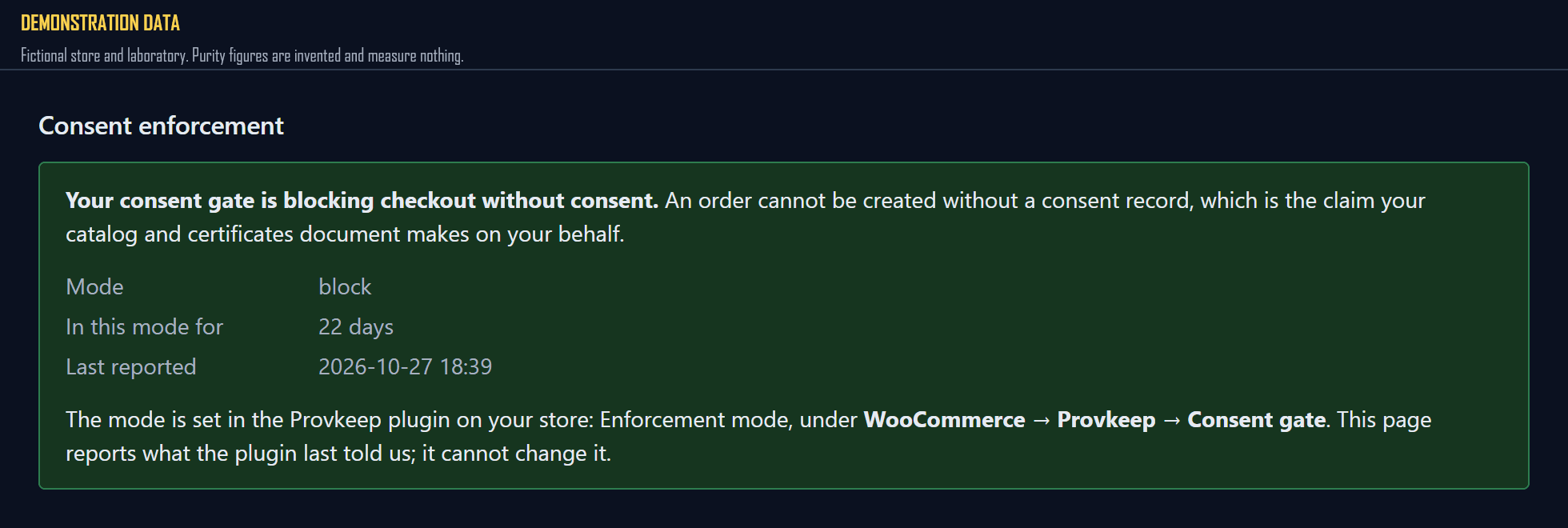
The screen reports the setting; it cannot change it. The mode lives in your WordPress admin, which is where it actually takes effect, and a control here that pretended otherwise would be a button that does nothing.
Log only is a ramp, and it is timed
Nobody sensible switches a gate on across a live checkout without watching it first. So the plugin has a Log only setting for the first couple of days after install. It records the agreement where it is given, and lets an order through where it is not.
The failure this product cannot allow is that setting becoming permanent. A gate that does not gate is theatre, and worse, it silently changes the meaning of every green row on your dashboard: an order carrying consent becomes this one happened to rather than this store cannot produce one without it. A quick scan cannot tell those apart.
So when a store has been logging past the window, a notice appears above the orders and stays there. It is amber rather than red, because Log only is a legitimate setting that has outstayed its purpose rather than a fault. Dressing a legitimate setting as an error teaches merchants to dismiss banners.
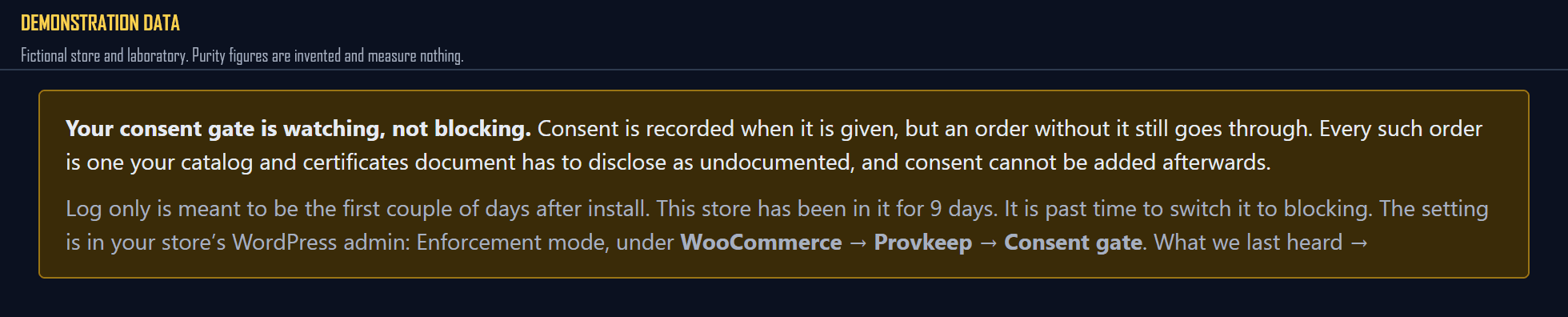
The last clause is the one merchants act on. Consent is recorded at the moment of checkout or not at all. No screen anywhere in this product adds one afterwards, because a record created after the fact is not evidence of anything. Every day in Log only produces orders that can never be made whole.
What the record is, once it exists
A row in an append-only log. Updates and deletes are revoked at the database grant level and blocked by triggers on top of that. Append-only is a property of the database rather than a promise from the application.
It holds the terms version, the minimum age shown, the timestamp, and a fingerprint of the wording your store displayed. Not the wording itself: that is yours, it lives in your store, and the record fixes which text was shown without our holding a copy. Customer email and shipping address are hashed before they leave your store, so a breach here exposes no list of people who bought research peptides.
One consequence worth knowing in advance. Because a consent event pins its order, deleting that order is refused by the database. That is the point of it rather than a limitation, and it is not worked around for housekeeping.
A note on the checkout itself: it works on both of WooCommerce’s checkouts, and you do not change yours to install it. On the classic checkout the gate validates inside woocommerce_checkout_process; on the Blocks checkout it registers a required field that WooCommerce validates server-side before the order is placed. Nothing inspects which checkout your store uses — each order records which gate governed it, so a store running both is served correctly without anyone guessing.
Blocks is in one respect the stronger of the two, which is worth saying plainly because this page previously said the opposite. WooCommerce renders the field there, so a theme cannot drop it; and an unchecked box arrives as an explicit no rather than as nothing at all, so a customer who declined and a customer who was never asked are different facts in the record instead of the same silence.